
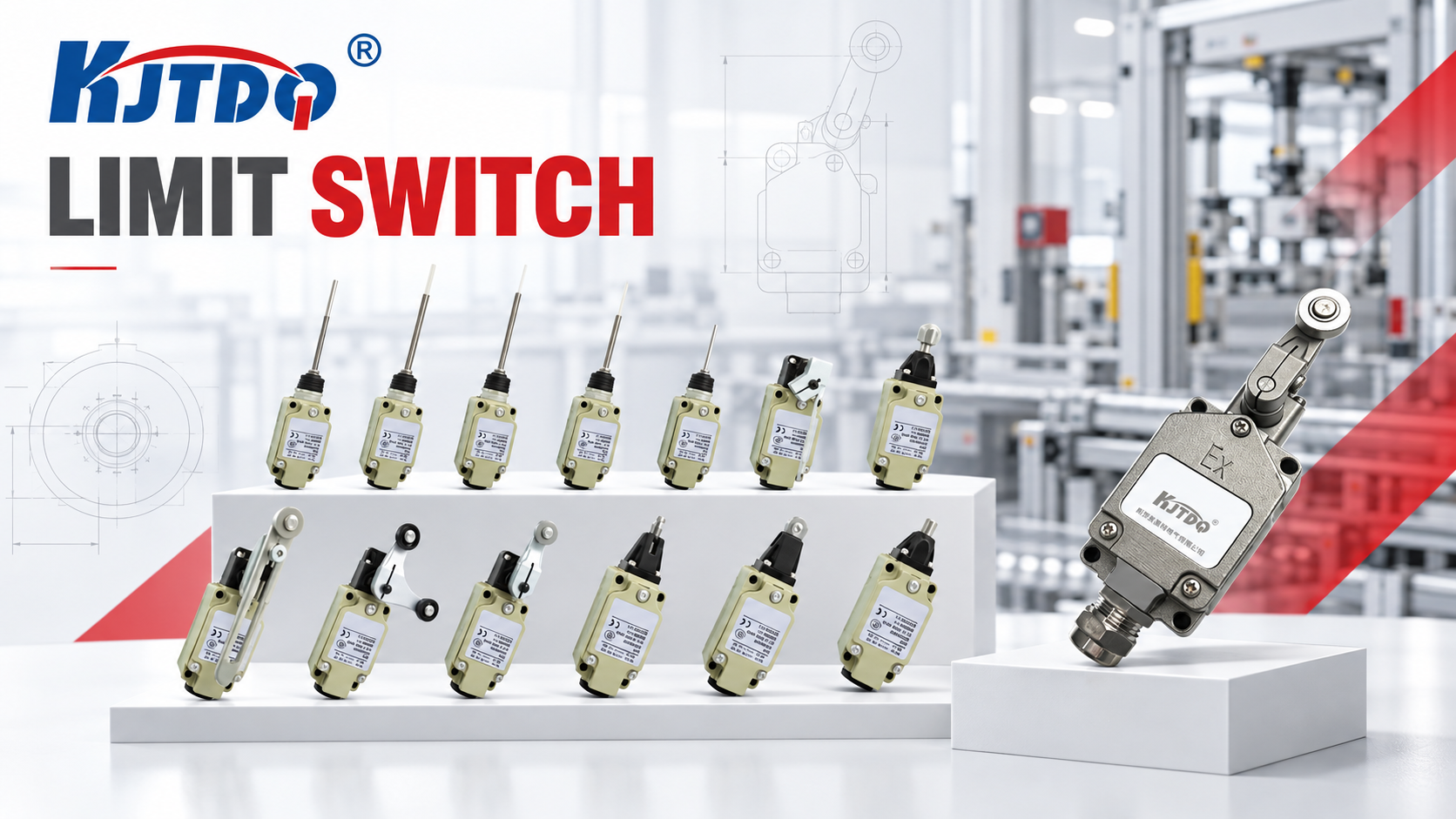
A limit switch chatters or fails early when its mechanical reality disagrees with its design assumptions: the actuator is struck outside its intended approach direction or beyond its rated travel (overtravel), repeated side impact fatigues the lever and plunger, vibration re-triggers the contact near the trip point, contact bounce couples into sensitive logic, or contamination and ingress wear the mechanism. The first safe check is observational, with the machine stopped and locked out: compare the actual actuator approach — direction, speed, overtravel — against the switch's rated actuation values in the data sheet. Replacing the switch without correcting the approach repeats the failure on schedule.
Key Takeaways
- The approach is the application. Direction of actuation, approach speed and overtravel are rated values; violating any of them converts a million-operation switch into a thousand-operation switch.
- Chatter has three sources. Vibration near the trip point (mechanical), contact bounce at transition (electrical), or a target that dwells at the actuation edge (application geometry) — the fix differs for each.
- Early failure is almost always mechanical. Side loading, overtravel and impact fatigue the actuator before the contacts age out; inspect the failed unit's wear pattern — it tells the story.
- Ingress accelerates everything. Dust, chips, coolant and washdown fluid entering a worn seal attack both mechanism and contacts; the right IP rating and a sound cable entry are part of the switch's life.
- When the application can't be civilized, change the technology. Severe impact, very high cycling or hostile contamination are arguments for non-contact sensing — the limit-switch vs. proximity comparison (travel-detection comparison) frames the trade-off.
Symptom Definition
This article covers:
- Chatter — the output switches repeatedly at one machine position;
- Early mechanical failure — levers, plungers or housings failing far before the rated mechanical life;
- Early electrical failure — contacts welding, sticking or failing to make, well before rated electrical life;
- Progressive degradation — increasing actuation force needed, drifting trip point.
Failure in an explosion-proof (Ex-rated) application adds certification constraints — routing and replacement there require exact model documentation and qualified review; the selection-side constraints are owned by E12.
Cause Table
| Cause category | Why it creates the symptom | Safe check | Corrective direction | Technician required? |
|---|---|---|---|---|
| Overtravel beyond rating | The target drives the actuator past its stated travel limit; the mechanism bottoms out and fatigues | Machine stopped/locked out: measure the actual actuator displacement vs. the data sheet's rated travel and overtravel | Add a stop or reposition the target so travel stays within rating; select a model with adequate overtravel margin | Yes |
| Off-axis / side impact | The target strikes the lever or plunger from the wrong direction or angle — lateral loads the mechanism was never rated for | Inspect the approach geometry and the failed unit's wear pattern (one-sided wear = side loading) | Correct the approach to the intended direction; add guides if the target wanders | Yes |
| Excessive approach speed | Impact energy above the actuator's design range deforms levers and slams contacts | Compare target speed at the switch with the application guidance in the data sheet | Decelerate the approach (dampers, geometry) or select a model rated for the speed | Yes |
| Actuator misalignment | The target misses the actuator's sweet spot; marginal actuation near the trip point produces chatter and partial stroking | Slowly cycle by hand (locked out) and observe where on the lever/plunger the target actually lands | Realign switch or target to actuate at the intended point with margin | Yes |
| Vibration | Machine vibration shakes the actuator across the trip point — chatter that stops when the machine stops | Correlate chatter with machine state; inspect for resonance in the lever | Move the trip point away from the dwell zone; stiffen mounting; damp the lever where the model provides it | Yes |
| Contact bounce at transition | Contacts mechanically bounce on closing; fast logic (PLCs, counters) reads multiple transitions | Observe whether the "chatter" exists only in the controller, not on a slow indicator | Apply input filtering per the logic's design; the signal-path side is covered in the PLC input guide (https://www.kjt-sensors.com/show-27188.html) | Yes for controls changes |
| Contamination / ingress | Chips, dust, coolant or washdown fluid entering worn seals or cable entries gum the mechanism and corrode contacts | Inspect sealing faces, cable entry and conduit; look for the contamination trail inside a failed unit | Restore sealing; correct cable entry orientation; select the right IP/environment family — the selection guide (https://www.kjt-sensors.com/show-27169.html) maps environments | Yes |
| Contact overload | The load (inrush of solenoids, contactors, lamps) exceeds the contact rating; contacts weld or erode early | Compare actual load and inrush against the data sheet contact rating | Add appropriate interposing (contactor/interface) per electrical design; do not uprate by guessing | Yes — electrical design |
| Mechanical life simply consumed | Cycles actually exceed the rated mechanical life — honest wear, not abuse | Pull the cycle count from the machine history vs. the data sheet rating | Scheduled replacement; or reconsider non-contact sensing for the cycle rate (https://www.kjt-sensors.com/show-27168.html) | No for records |
Diagnostic Sequence (Least Invasive First)
- Read the failed unit. Wear pattern, deformation, contamination trail and contact condition tell the failure mode before any measurement: one-sided wear (side load), bottomed mechanism (overtravel), welded contacts (overload), gummed linkage (ingress).
- Reconstruct the approach. Machine stopped/locked out: direction, contact point on the actuator, displacement, and speed vs. the data sheet's rated values.
- Correlate chatter with machine state. Vibration chatter disappears when the machine is still; dwell-zone chatter appears at one position regardless of vibration; bounce shows only in fast logic.
- Check the environment. Sealing, cable entry, and the actual contaminant exposure vs. the installed model's ratings.
- Verify the electrical load. Actual steady current and inrush vs. the contact rating — with the electrical single-line and nameplate, desk-first, measurements by qualified personnel.
- Count the cycles. Machine history vs. rated mechanical life; honest wearout deserves scheduled replacement, not redesign.
- Correct the application, then replace. Sequence matters: correcting the approach or load before installing the new unit protects the replacement.
- Escalate recurring cases. Same failure twice = application redesign (approach geometry, model, or non-contact technology); send the details below.
Conditional Corrective Actions
- If overtravel or side impact is confirmed → add mechanical stops, correct the approach direction, or select a model rated for the actual motion before replacing the unit.
- If chatter only appears in the controller → contact bounce into fast logic: apply the input filtering the logic design allows; the sensor-side diagnosis is in the PLC input guide (intermittent-PLC-input troubleshooting guide).
- If chatter tracks machine vibration → move the trip point out of the dwell zone or stiffen/damp the mounting; do not accept permanent chatter — it consumes mechanical life at every event.
- If ingress contamination is present → restore sealing, correct the cable entry, and verify the installed family matches the environment; the selection guide (industrial limit-switch selection guide) maps harsh environments to the right family.
- If the load exceeds the contact rating → interpose a contactor or interface per electrical design — never a bigger switch guessed at.
- If cycle counts genuinely exceed mechanical life → scheduled replacement, or evaluate non-contact sensing for the position (travel-detection comparison).
Replacement and Reselection Criteria
Reselect the model or technology when:
- the corrected approach still exceeds the installed model's travel/speed ratings — the selection guide (industrial limit-switch selection guide) covers actuator types, housings and contact configurations for heavy machinery;
- the environment (washdown, chips, oil, temperature) exceeds the installed family — waterproof, stainless or high-temperature families exist for exactly this reason;
- the cycle rate makes replacements uneconomical — non-contact proximity or magnetic sensing removes mechanical wear from the equation (travel-detection comparison);
- the application is in a hazardous area — explosion-proof models and their certification boundaries require exact-model documentation and qualified review (selection side owned by E12); send the area classification with your inquiry.
For any replacement, the application information checklist (application-information checklist) lists the data that prevents the next early failure.
Information to Send KJT Sensors Support
- Failed unit photo and model number, plus a description of the wear pattern;
- Actuator type and the actual approach: direction, contact point, displacement, speed;
- Cycle rate and total cycles, plus load type and inrush if electrical failure is suspected;
- Environment: contaminants, washdown/coolant exposure, temperature range;
- Machine state correlation for chatter (vibration, dwell position, controller-only);
- Photos of the mounting and target geometry.
Frequently Asked Questions
Is the actuator being struck outside its intended motion?
Check three rated values against reality: approach direction (levers and plungers have a designed actuation direction — side loading is the classic killer), displacement within rated travel and overtravel, and approach speed within the model's application guidance. The failed unit confirms it: one-sided wear means side impact; a bottomed or deformed mechanism means overtravel. Correcting the approach is the only fix that lasts — replacements inherit the abuse.
Can vibration cause repeated actuation?
Yes. If the actuator rests near the trip point while the machine vibrates, the contact opens and closes with the vibration — chatter that stops when the machine stops, and mechanical life consumed at vibration frequency. Fixes: move the trip point away from the dwell zone, stiffen the mounting, or damp the actuator where the model provides for it. Persistent vibration chatter is also an argument for non-contact sensing at that position.
When should the application use non-contact sensing?
When the mechanical conditions cannot be civilized: unavoidable impact or side loading, cycle rates beyond economical mechanical life, heavy contamination of the mechanism, or positions where the approach cannot be controlled. Proximity and magnetic sensing trade contact wear for sensing-range and target-material constraints — the comparison in the limit-switch vs. proximity guide (travel-detection comparison) lays out both sides.
What is the difference between chatter and contact bounce?
Chatter is mechanical: the actuator physically crosses the trip point repeatedly (vibration or dwell geometry). Bounce is electrical-mechanical: at any single transition, contacts spring and reconnect briefly, and only fast logic sees it — a slow indicator shows one clean switching. Bounce is handled in the controls (input filtering per the logic design); chatter must be fixed at the machine.
Conclusion
Chatter and early failure are application signatures: read the failed unit, reconstruct the approach against the rated values, separate mechanical chatter from electrical bounce, and check environment and load before replacing anything. Correct the application first — the replacement inherits whatever killed its predecessor. When impact, cycling or contamination cannot be designed out, move to the appropriate non-contact technology rather than escalating maintenance.
Sources
- KJT Sensors, Limit Switch category (standard, waterproof, double-circuit, high-temperature, heavy-duty, explosion-proof, stainless, micro and wireless families; mechanical life of over one million operations on some models — manufacturer-stated) — https://www.kjt-sensors.com/list-xcxwkg.html (verified 2026-10-10)
- KJT Sensors, Service & Support — https://www.kjt-sensors.com/list-services.html (verified 2026-10-10)
- KJT Sensors internal category knowledge base: limit switches (KJT-LXK3 series context; contact ratings) — version current at drafting
- General limit-switch engineering practice (actuator mechanics, overtravel, contact ratings; no third-party claims)
Contact Technical Support
Send actuator, travel and mounting details via the KJT Sensors service page — include photos of the failed unit's wear pattern and the target approach, and a limit-switch application engineer will verify the application or recommend the right family/technology.
https://www.kjt-sensors.com/
KJT Sensors